
Skip to content
Research with your AI

Bring competitor context to the AI you already use.

Connect Claude Code, Claude Desktop, or Cursor over MCP. Your agent can find competitors, inspect collections, and pull current captures without file shuffling.

A product marketer reviews printed source material in a quiet reading room.
The outcome

Built to carry into the next research cycle.

Your product context and competitor evidence meet inside the same working session, where the useful analysis actually happens.

In the product

Your AI reads the pages, then cites them.

Ask in the AI you already use. It calls PMM Tools over MCP, reads the captured pages, and answers with links back to the source.
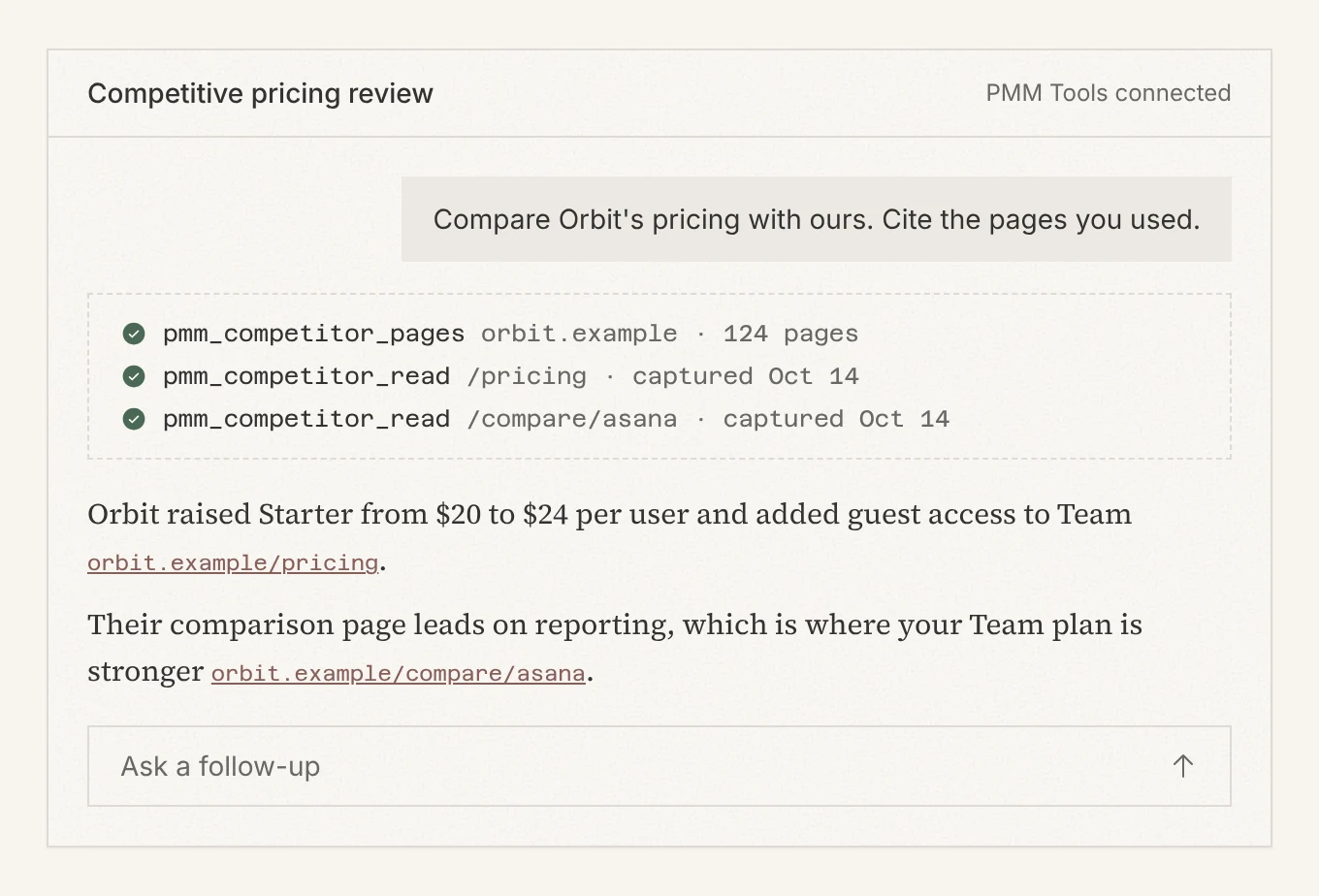
An AI chat asked to compare Orbit’s pricing calls pmm_competitor_pages and pmm_competitor_read, then answers citing orbit.example/pricing.
Illustration: real PMM Tools screens with a fictional company, Orbit.
What it does

Designed around the research artifact.

01
Ask for the source material
Retrieve canonical markdown, screenshots, and bundle links from the agent instead of uploading folders at the start of every conversation.
02
Use the same product model
MCP follows the same competitor, collection, run, and schedule model as the web app, rather than exposing a second workflow.
03
Take the whole bundle when needed
Download the collection as files when another workflow needs a portable archive instead of live tool access.
The workflow

Simple enough to repeat.

Step 1

Create a connection key

Step 2

Connect a supported MCP client

Step 3

Ask your agent to work from the latest competitor evidence

Step by step, with screenshots: Research competitors with your AI over MCP

Build from evidence

Put current competitor evidence inside your next working session.

PMM Tools keeps the collection, captures, and delivery path connected from the first domain through every refresh.