
Competitive analysis with Claude and Cursor
Connect your AI client to the PMM Tools MCP server. PMM Tools captures each competitor page as clean markdown and a screenshot, with its source URL and capture date, and your agent reads those source files directly instead of a summary of them. Claude Code, Claude Desktop, Codex CLI and Cursor connect with a connection key, ChatGPT connects by signing in to PMM Tools, and the thinking runs on the AI subscription you already have.
How do I get Claude, Claude Code or Cursor to do competitor research?
- Step 01
Track your competitors
Create a competitor from its domain. PMM Tools finds pages through the sitemap and site navigation, and captures each one as markdown and a screenshot with its source URL and capture date.
- Step 02
Connect your agent
Generate a connection key in PMM Tools and add the MCP server to your client, with the key sent as a bearer token. The command below is the Claude Code one; Claude Desktop, Codex CLI and Cursor have their own setup guides.
- Step 03
Ask in plain language
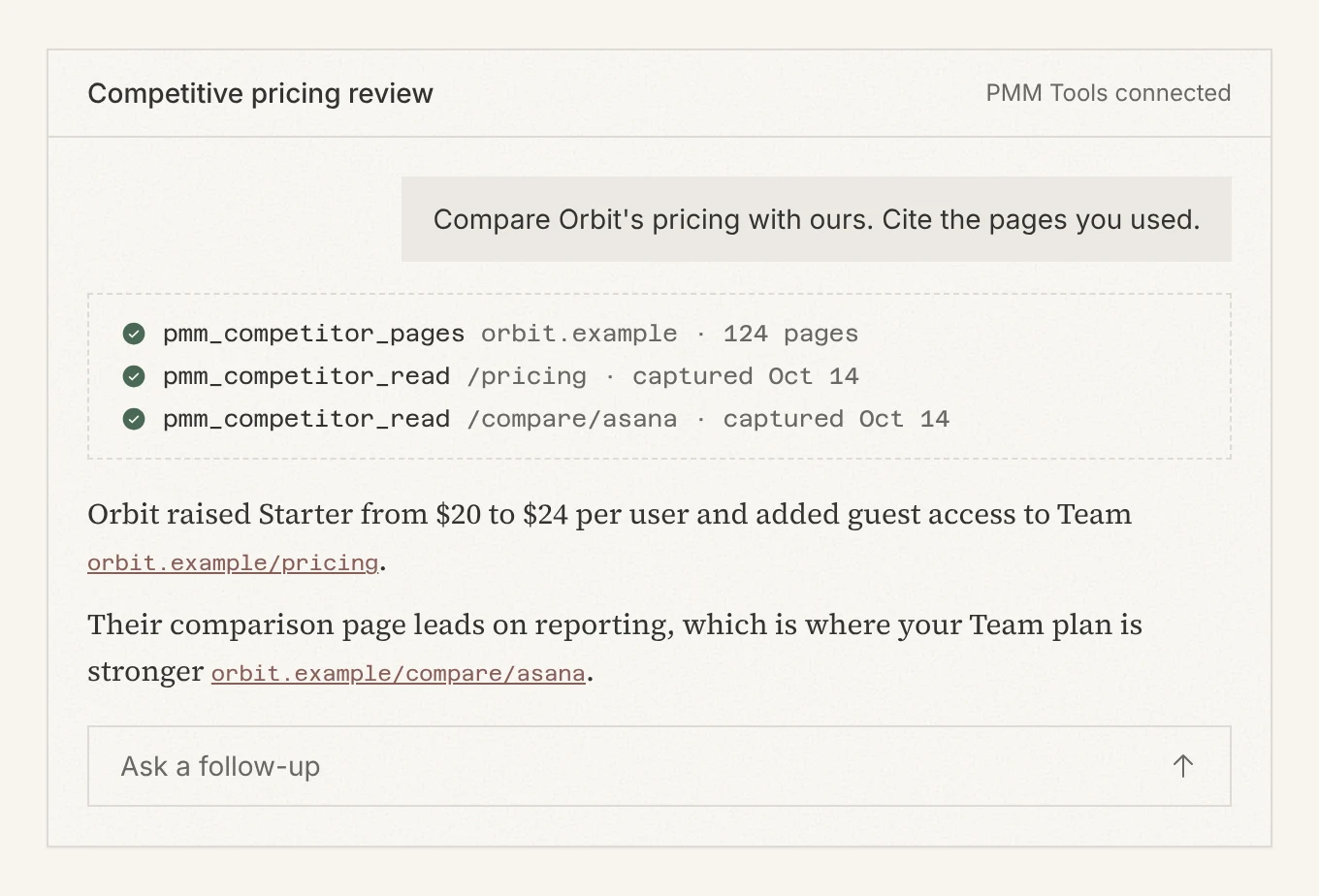
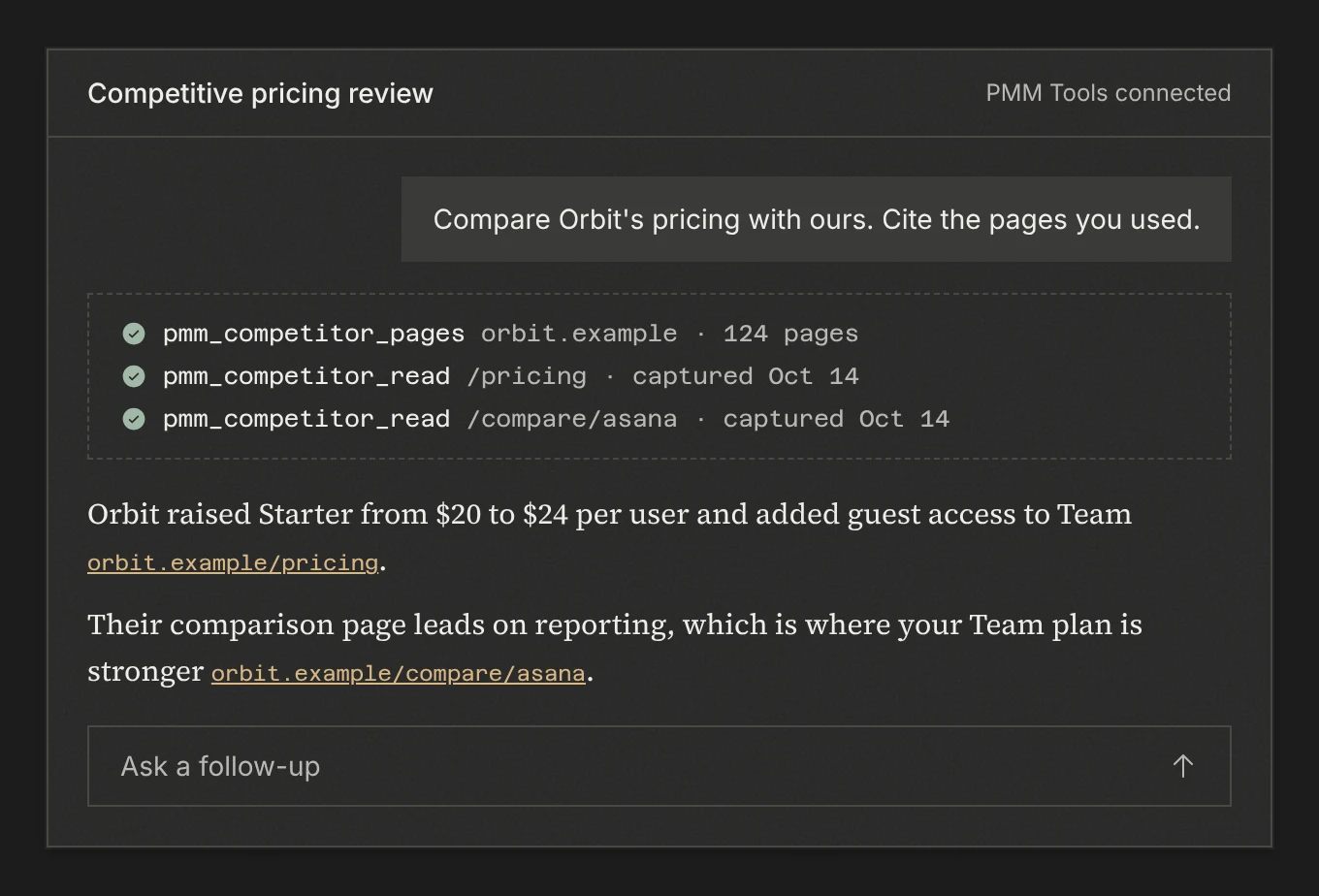
Your agent picks the tools it needs: listing competitors, reading captured pages, adding or excluding URLs, and starting refreshes. The analysis happens in your agent, on the source pages.
Your AI reads the pages, then cites them.
Ask in the AI you already use. It calls PMM Tools over MCP, reads the captured pages, and answers with links back to the source.
Connect Claude Code
Generate a key in PMM Tools, then run this with your key in place of the placeholder.
claude mcp add pmm --transport http --scope user \
  'https://www.pmmtools.com/api/mcp' \
  --header 'Authorization: Bearer pmm_live_YOUR_KEY'
Setup guides: Claude Code, Claude Desktop, Cursor.
Prompts to try
What competitors am I tracking in PMM Tools, and when was each one last captured?
Tools:
pmm_competitor_listRead the captured pricing and features pages for [competitor] and summarize how their packaging differs from ours. Cite the capture date for each point.
Tools:
pmm_competitor_pages,pmm_competitor_readAdd [URL] to [competitor], start a refresh, and tell me when the run finishes.
Tools:
pmm_competitor_add_urls,pmm_competitor_run_now,pmm_run_statusGo through [competitor]'s captured pages and exclude any that aren't useful for positioning work, with a reason for each.
Tools:
pmm_competitor_get_urls,pmm_competitor_validate
What to know before you start
Does my agent get summaries or the pages themselves?
The pages. Each tracked URL is kept as markdown and a screenshot with its source URL and capture date. Your agent does the analysis, so you can check any claim it makes against the captured page.
Which AI clients can connect?
Claude Code, Claude Desktop, Codex CLI and Cursor, each with a connection key sent as a bearer token, and ChatGPT, which connects by signing in to PMM Tools. The MCP quickstart has a guide for each.
What can the agent do with the MCP server?
The server has 33 tools. They cover listing competitors, adding and excluding URLs, reading captured pages, scheduling and starting runs, and checking a run's status. The MCP quickstart lists every tool.
Is MCP access included in every plan?
Yes. Every paid plan includes MCP access. Starting runs and captures has a budget of 30 to 180 requests per hour depending on the plan; reading pages, checking status and making changes are budgeted separately. Reading captured pages does not use snapshot credits; starting a capture does.
Put this workflow on top of current, inspectable sources.
Start with a competitor domain, keep the collection current, and let your own agent analyze the evidence in context.