
Tracking competitor pricing page changes
Add the competitor's pricing page to PMM Tools and put the competitor on a schedule, which is available on every paid plan. Each run captures the page again as markdown and a screenshot with its capture date, and earlier captures are kept. You can compare any two captures of the page line by line in the app, and your AI agent reads the latest capture over MCP.
How do I track competitor pricing page changes?
- Step 01
Track the pricing page
Create the competitor from its domain. Discovery looks for pages in the sitemap and site navigation; if the pricing page isn't in the tracked set, add the URL in the app or with pmm_competitor_add_urls.
- Step 02
Put it on a schedule
On every paid plan, set a full refresh — every 2 weeks, monthly or quarterly, depending on your plan — at an hour and time zone you choose, in the app or with pmm_competitor_schedule_set. You can also start a run whenever you need one, within your plan's run limits.
- Step 03
Keep every version
Each capture is stored with its date. The page's snapshot history lists captures newest first, and each completed run produces a downloadable bundle of markdown and screenshots.
- Step 04
Compare versions
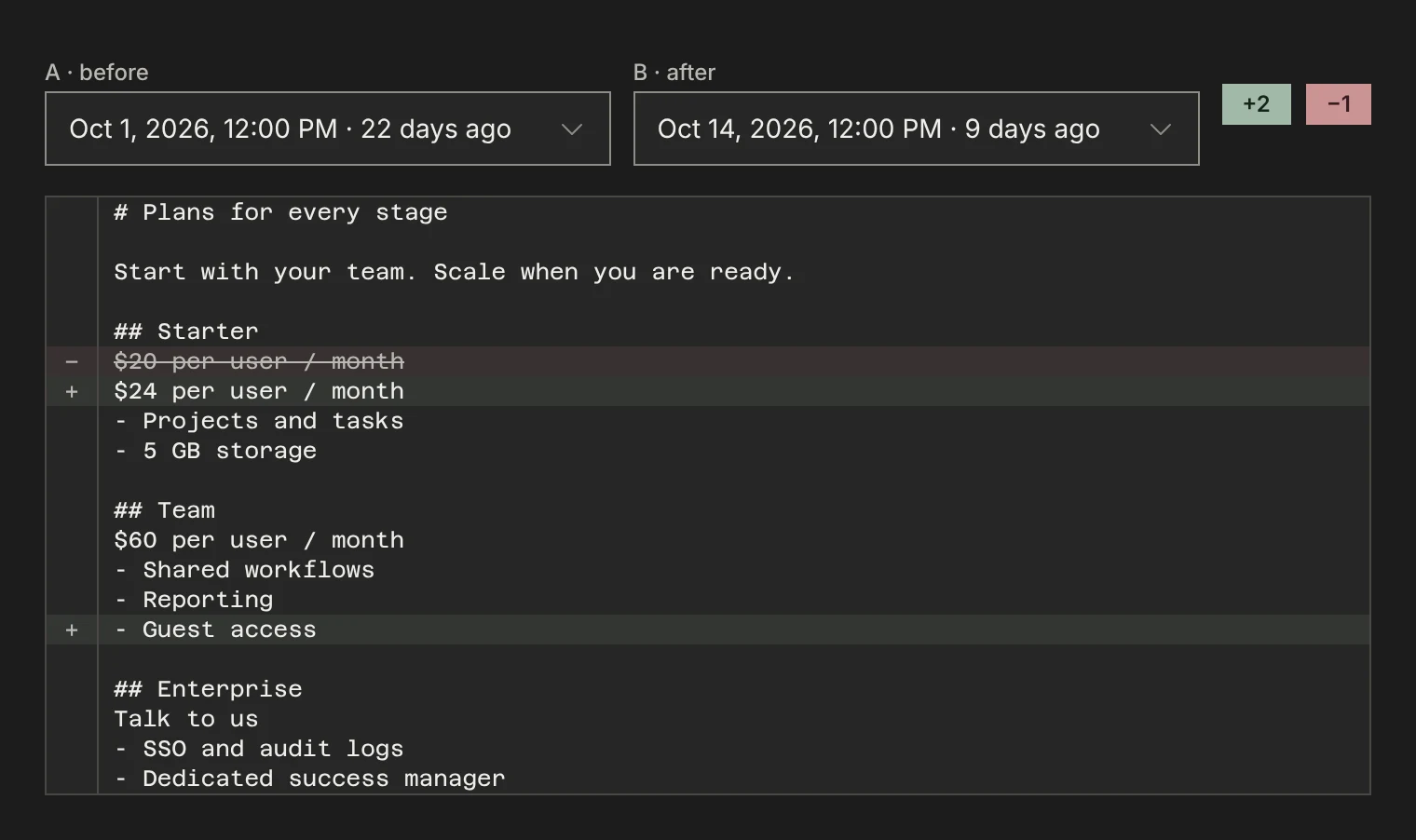
Open the page's snapshots in the app and choose Compare to see the lines added and removed between any two captures.
Know the day their pricing changed.
Each refresh keeps the earlier capture. Compare any two and the changed lines stand out, with the dates on both sides.

What to know before you start
How often can a pricing page be captured?
Scheduled full refreshes are available on every paid plan, every 2 weeks at most. On every plan you can also start a run yourself, within the plan's run limits. Each capture uses the plan's monthly snapshot credits.
Can my agent compare two versions of the page?
Over MCP, your agent reads the latest good capture of each page, with its capture date. To see what changed between two earlier captures, use Compare in the app, or download two runs’ bundles and give both files to your agent.
Does a new capture replace the old one?
No. Each capture is stored as its own snapshot with its date, and the page's snapshot history lists them newest first. Your agent is served the latest good one.
Is the screenshot kept too?
Yes. Each capture has a screenshot next to its markdown, and over MCP your agent gets a signed link to the screenshot of the latest capture.
Put this workflow on top of current, inspectable sources.
Start with a competitor domain, keep the collection current, and let your own agent analyze the evidence in context.