
Refresh captures and monitor competitor website changes
To monitor competitor website changes, refresh the competitor’s captures and compare versions. Choose Run on the competitor for a refresh now, or set a schedule on its Schedule tab (every 2 weeks, monthly or every quarter, depending on your plan). Each refresh keeps the earlier capture, so the Snapshots tab can compare any two versions of a page line by line, with the dates on both sides.
Want PMM Tools to watch your competitors for you? See competitor monitoring
Refresh now
Open the competitor and choose Run. A run re-captures the pages you track; your include and exclude decisions stay as they are. Runs draw capture credits from your plan’s monthly budget.
Put it on a schedule
Open the Schedule tab
Choose a full refresh cadence: every 2 weeks, monthly or every quarter. Which cadences you can pick depends on your plan.
Decide what each run covers
Turn on Include discovered pages to re-capture every page discovery found, not just the ones you added, and set URLs per run to cap it.
Track news and blog posts
Feeds are checked on their own cadence while the schedule is on, so new posts show up between full refreshes.
Compare two versions of a page
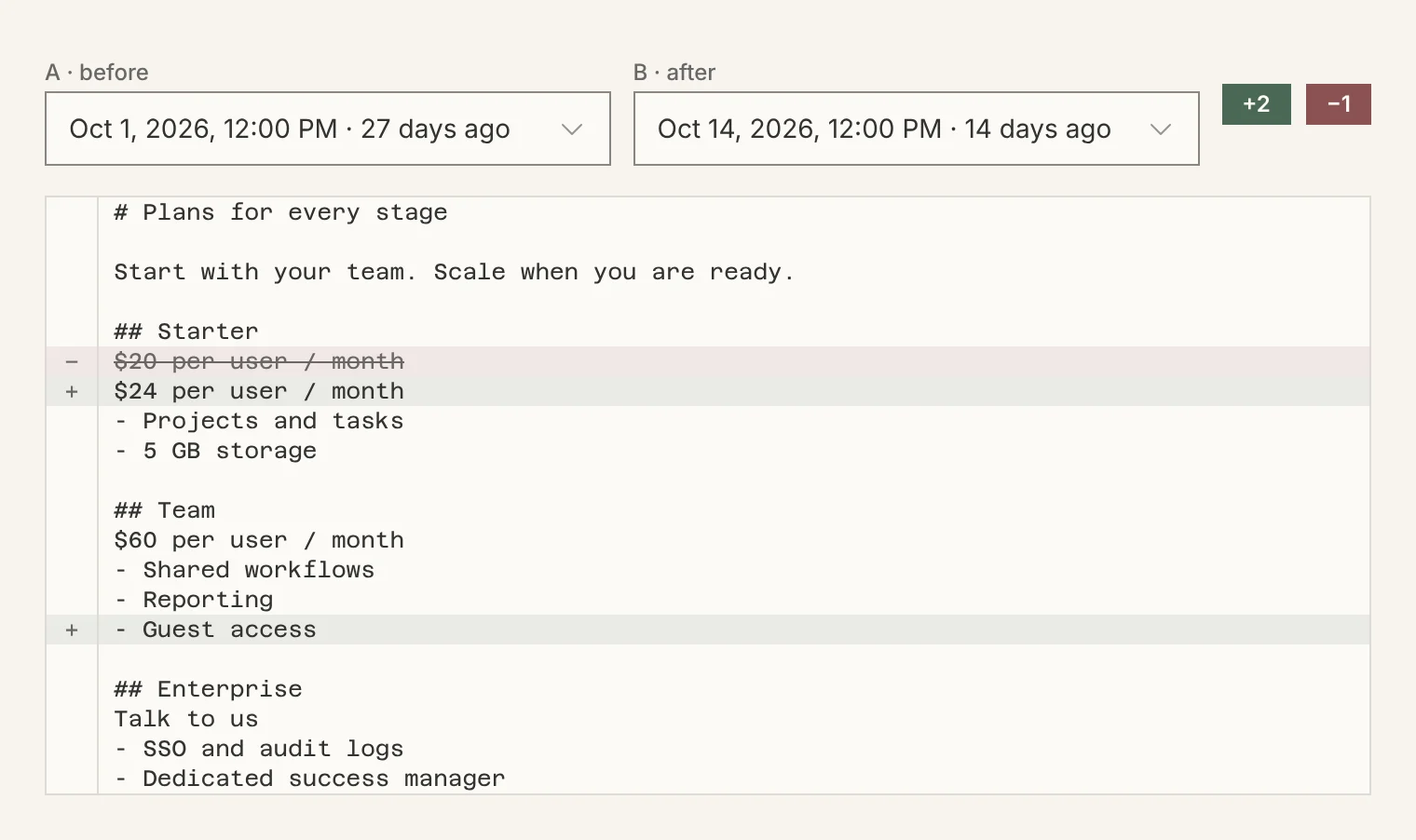
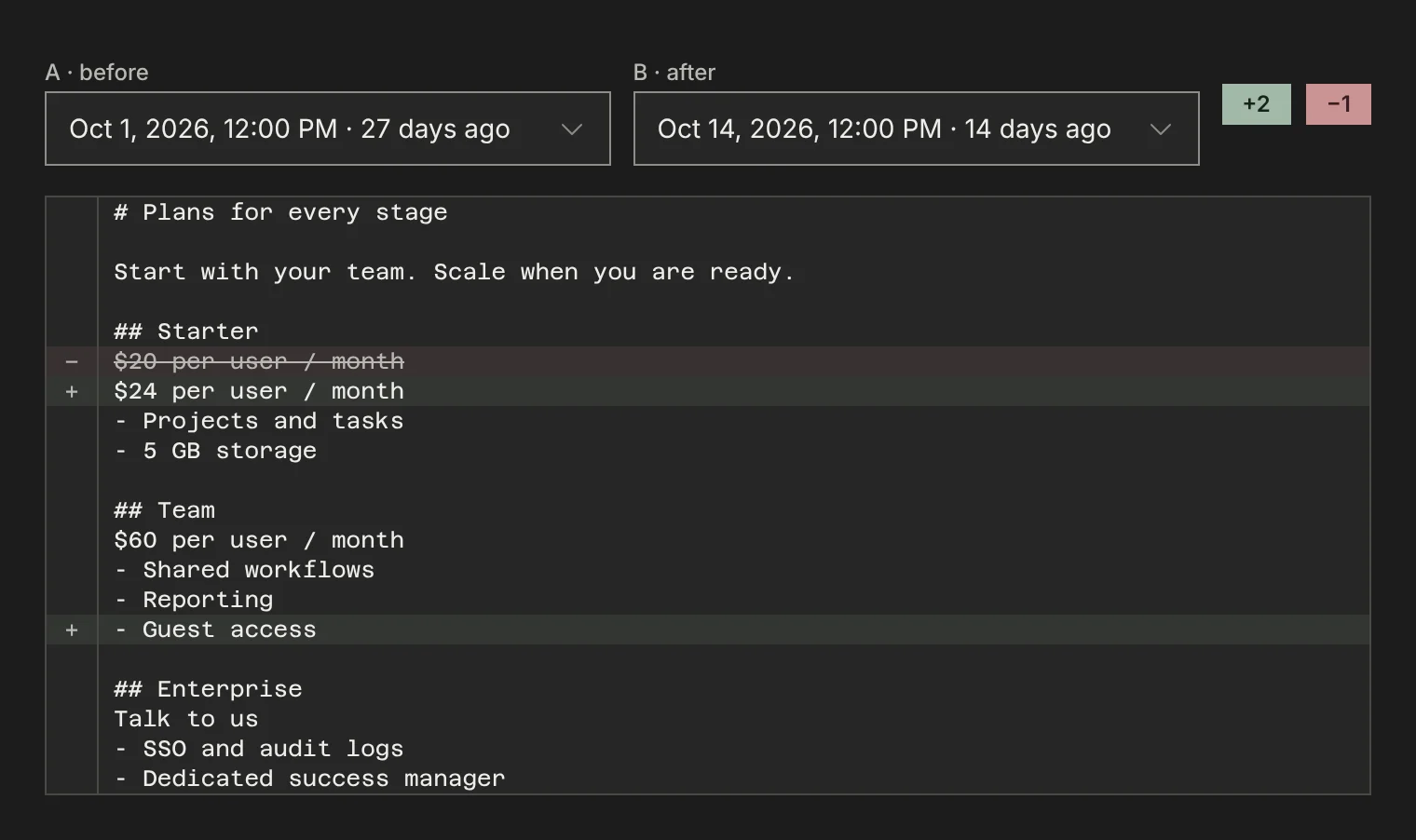
On the Snapshots tab, pick a page and switch the view to Compare. Choose a before and an after capture: removed lines are struck through, added lines are marked, and the counts sit next to the dates.
Ask what changed
Over MCP, pmm_changes_since returns what changed across all your competitors since a date, newest first. Each change is rated substantive (the offer or positioning moved: price, plan, feature, claim, target customer), copy (wording only) or cosmetic (dates and counters, left out by default), with a one-line headline and the page to read.
Do it over MCP
Everything above also works from your AI client. These tools do the same job; see the MCP quickstart to connect.
pmm_competitor_run_nowpmm_competitor_schedule_setpmm_competitor_schedule_getpmm_changes_sincepmm_run_status
“What changed on my competitors’ websites since the first of the month? Only substantive changes, with links.”
Calls:
pmm_changes_since“Put Orbit on a monthly refresh in PMM Tools on the 1st at 9am New York time.”
Calls:
pmm_competitor_schedule_set
Questions
Can I refresh daily or weekly?
Full refreshes run every 2 weeks, monthly or every quarter, depending on your plan, and you can start a run by hand at any time. News and blog feeds can be checked daily or weekly.
Do old captures disappear when a page changes?
No. Each refresh adds a capture and keeps the earlier ones, which is what lets you compare versions and date a change.